SimproCustomer & site record
CustomerSarah Nguyen
Site42 Bourke Street, Melbourne
JobBurst pipe · kitchen sink
UrgencyEmergency
Evidence2 supporting photos
Hermia Qualifies Every Enquiry — Automatically, 24/7
Watch A Real Enquiry Get Qualified
Simpro and AroFlo both receive the qualified job story. The operating path shown is specific to each system.

Know The Job First
 Simpro Partner
The Hermia effect
We manage enquiries for plumbing, electrical, roofing, remedial, fire safety, locksmith, HVAC and air conditioning, glazing, pest control, painting, landscaping and general repairs.
Hermia brings existing trade enquiries into one controlled conversation, qualifies the job, and moves the right information into your workflow—without the admin drag.
Route the lead alerts you already use: Airtasker, Hipages, TaskRabbit, Oneflare, ServiceSeeking, Bark, referrals, web forms, email, WhatsApp, Instagram, Facebook, Google Business, and direct messages. What Hermia does: processes alerts that are connected or forwarded into its configured intake, then creates a trade-ready job brief. Each source must be connected or forwarded before Hermia can act on it. The technician remains responsible for on-site judgement, safety, the final quote, and licensed work.
Visible change
Illustrative workflow impact
Less paperwork. More ready-to-book work.
A completed enquiry carries the customer, site, trade detail, evidence and urgency into the CRM record. The video is a real record example—not a booking screen.
Every lead starts the conversation. Hermia replies once in the channel they chose, then the complete job conversation continues in WhatsApp.


Hermia keeps qualifying incomplete messages until your office or technician has the detail needed to decide the next step. It prepares the context; your team stays in control of the decision.
“It’s leaking”, “the roof” or “there is a defect” is not enough for your team to act on. Hermia keeps the conversation focused until the problem is clear.
It asks trade-specific questions to pin down the item, the issue, the affected area, urgency, access, safety and useful evidence. If the answer is still too vague, Hermia keeps qualification open instead of handing your team a guess.

Before a job is sent to the calendar, Hermia asks for the full work address and confirms it back to the lead. This stops an incomplete street name or a vague building reference becoming the job location.
It then asks when someone can provide access and corrects availability that falls outside your configured visit window. The booking only continues once the site and time are clear enough to schedule.

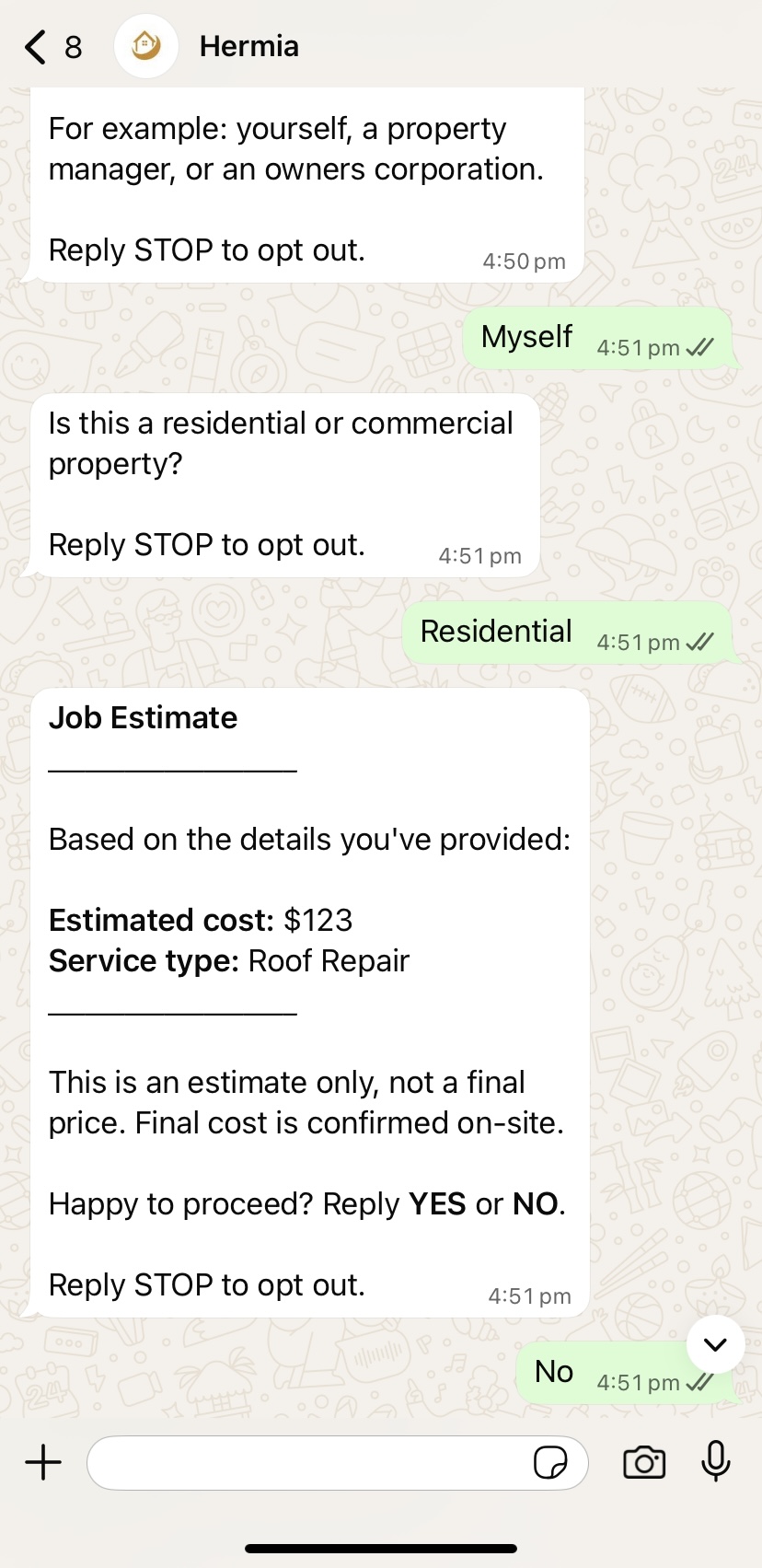
During onboarding, you set your pricing criteria — what a defect rectification, an inspection, or a callout roughly costs at your rates. When a qualified lead describes their situation, Hermia matches it against your tiers and gives them a real figure before the job is booked. The "how much roughly?" conversation happens without touching your office — and price shoppers reveal themselves before costing you a cent of admin.
If they accept: the agreed figure is logged on the job record — no confusion when the job hits your schedule. If they negotiate: they're handed straight to the negotiation contact you chose at onboarding, and you're told they're reaching out about pricing before they contact you. The job lands in your CRM either way.
Hermia is set up here for Simpro only. Each qualified enquiry is separated into the Customer, Custom Site and Open Lead records your trade office actually works from — so the job is usable before anyone starts retyping.
Hermia checks the customer first using the contact information provided through qualification. That means a returning property manager, landlord or homeowner is linked back to the correct Simpro customer instead of being entered again under a slightly different name.
For trade businesses, this protects customer history, billing relationships and repeat-work context. Your team can see who the customer is before they decide what needs to happen next.


Hermia places the work location into a dedicated Simpro Site record beneath the right customer. It confirms the actual site before booking so a client with multiple buildings, units or managed properties does not send a technician to the wrong place.
For trades, that keeps the address, access information and building context where the crew needs it. A new address creates a new Custom Site; an existing address stays linked to its existing site history.
Once the customer and Custom Site are right, Hermia creates or enriches the Open Lead with the actual trade detail: what is wrong, how urgent it is, which defect flag applies, what must be isolated, and the evidence the lead supplied.
For trades, the office can see the job context before dispatching anyone. The technician is not walking into a vague message; the lead is already a structured Simpro record with the information needed to action it.

Before anything reaches Simpro, Hermia checks the customer and address path. The live route below shows how each qualified lead is matched before the right record is created or enriched.
Enrich the existing customer context, then create the new site for this qualified job.
ENRICH CUSTOMER • CREATE SITEEnrich the matched customer and site, then create the qualified lead against the right records.
ENRICH RECORDS • CREATE LEADCreate the customer, create the site, and hand over the qualified lead with its complete context.
CREATE CUSTOMER • SITE • LEADEvery loop starts at Qualified Lead, passes through Simpro, then takes one customer-and-site branch before beginning again at Qualified Lead. Only one path is actioned for each lead.
AroFlo receives the full Hermia channel flow: the lead arrives through your selected channel, Hermia handles the WhatsApp Business conversation, creates the client and location, then gives the qualified job information to the contractor you have onboarded.

After the channel and WhatsApp Business conversation, the qualified enquiry is created or matched to the right AroFlo client record.

The confirmed work address is created or matched under that client, so the location is ready for the qualified job context.
Limited includes Email, WhatsApp and Instagram. Unlimited includes all five channels: Instagram, WhatsApp, Email, Facebook and Google Business.
Hermia creates or matches the AroFlo client and location. This is a straightforward AroFlo record path, not Simpro's advanced customer-and-site matching workflow.
Hermia does not write a booking into an AroFlo calendar. Scheduling and the advanced Simpro site workflow remain Simpro-specific.
Hermia sends the relevant job context by WhatsApp Business to the contractor assigned during onboarding, so they receive the information in the channel they actually see.
Hermia does not pass on a vague notification. It assembles the qualified job into a clear field handoff, then separates urgent, follow-up and incomplete enquiries before they become another interruption.
For Configuration Journey, each saved recipient receives their own private email with the customer, site, issue, urgency, access context and evidence in one clean job story.
Hermia turns the enquiry signals it has actually recorded into a focused weekly review: what arrived, what was urgent, what customers were asking about, where demand clustered, and where the intake standard needs attention.
It does not invent revenue, budgets, job completion, or technician results. It gives your people a reliable view of the customer demand that reached your business and the next conversations worth improving.
A complete qualification system — every question, safety check, follow-up and booking flow already built and tested for plumbing, electrical, roofing, remedial and fire/ESM work. Every plan starts with a 2-day free trial before your monthly fee is charged, and runs with 24/7 support around it.
Your leads receive the approved flow for your business.
Monthly billing begins after the free trial.
The retained $84 amount is not refundable.
Every plan includes a 2-day free trial before your monthly fee is ever charged, so you can see Hermia running on real enquiries before paying anything.
If, after paying your one-off implementation & connection fee, you decide Hermia isn't right for your business, tell us within 48 hours of setup and we'll refund the setup fee less a retained $84 amount. The $84 amount is not refundable.
After that 48-hour window has passed, the setup fee is no longer refundable, as onboarding work on your account is already complete. The retained $84 amount is not refundable at any point.
Three direct answers for the contractor deciding how Hermia will handle their enquiries.